The basics
What is CA Enhancer, exactly?
It's a browser extension that runs on top of your existing ConsignorAccess vendor portal — it doesn't replace anything or move your data anywhere else. It adds things ConsignorAccess doesn't have on its own: earnings graphs, better filtering, custom label printing, bulk editing, sales reports, sale notifications, and inventory counting/scanning. Everything free stays visible the moment you install it; Premium features unlock once you create a CA Enhancer account and start a subscription.
Is this made by ConsignorAccess or SimpleConsign?
No. CA Enhancer is an independent, unaffiliated add-on built by The Knotty Crafters, LLC. It works alongside your existing ConsignorAccess vendor portal but isn't produced, endorsed, or supported by ConsignorAccess or SimpleConsign.
Do I need to do anything to get the free features?
No account or setup required. Once the extension is installed, the dashboard earnings graphs, the improved Activity/Items pages, quick filters, "remembers where you left off," and Copy → New Item are all just there automatically on your ConsignorAccess pages.
Does this work on my phone?
The extension itself is desktop-browser only (it runs inside ConsignorAccess pages in Chrome). The Inventory Counting & Scanning tool, though, has a separate mobile-friendly scanning page you open in your phone's browser — see Inventory counting below.
What's actually different about Premium?
Free covers the pages you already look at every day — dashboard, activity, items. Premium adds the tools for running the business side: printing labels, editing many items at once, seeing a real sales history report, getting notified when something sells, counting physical inventory against what's on file, and ranking your best/slowest sellers. See the full breakdown on the CA Enhancer page.
How do I know if a feature is locked?
Locked Premium features show a prompt explaining what you're missing and a button to start Premium — you won't hit a dead end or a confusing error. If you're logged in but the feature still looks locked, double-check that this specific store is linked to your CA Enhancer account (Settings → Account & Premium) — Premium is store-specific, not just account-wide.
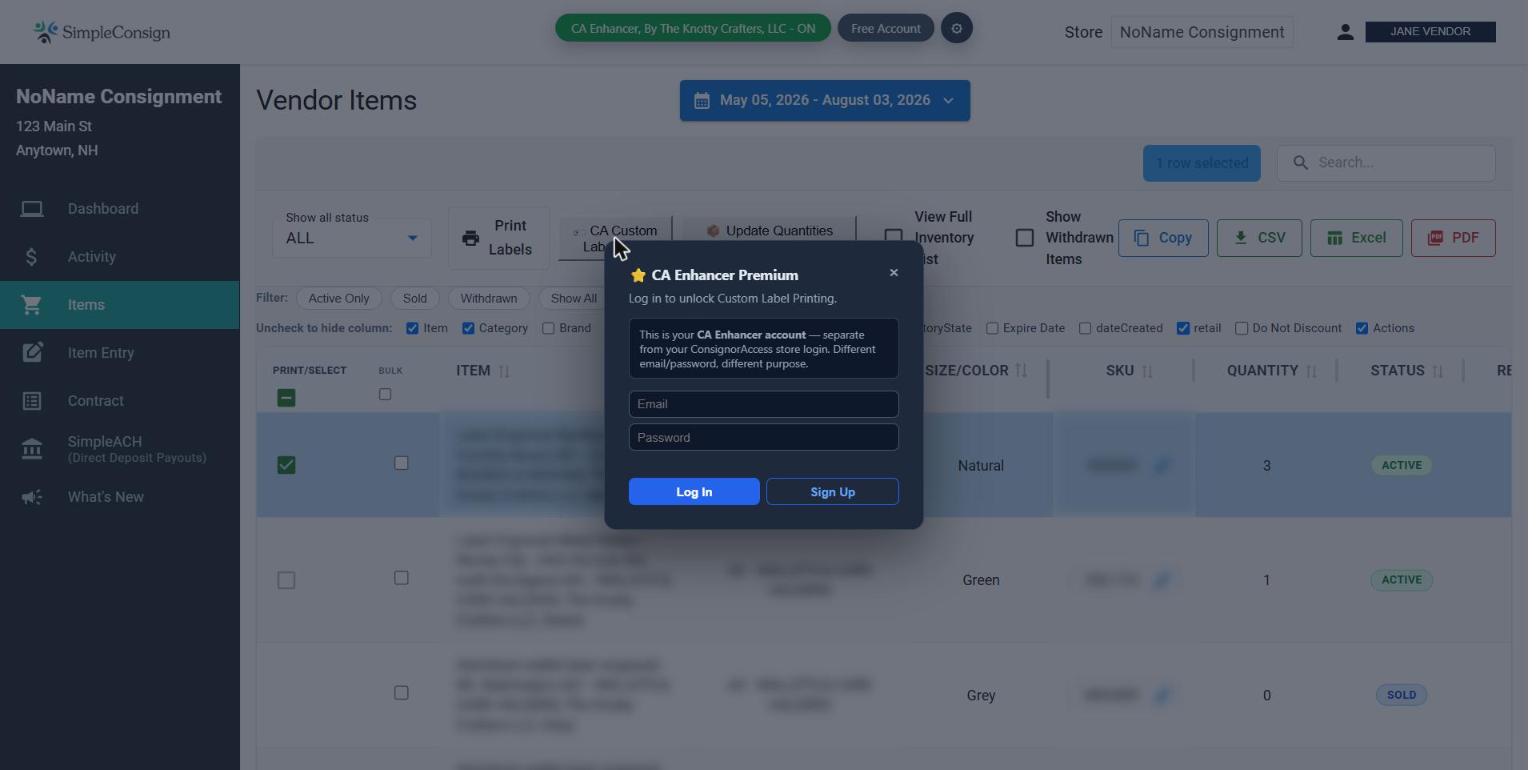
I can't select all the items I want labels for — what am I missing?
Label printing works from whatever items are selected on the Items page, and that page is paginated — if your items span more than one page, only the items on the current page can be selected at once. To label a larger batch in one go, either use the "All" option in the Items page's "Rows per page" dropdown to load everything at once, or filter the Items page down to just the specific set of items you want labeled first.
I have more than one store. Do I need to pay per store?
Pricing is $5/month for up to 3 linked stores, then $1/month for each additional store, covering up to 10 stores on standard pricing. Running more than 10? Reach out and we'll work out something custom. Each store needs to be linked separately (Settings → Account & Premium → Link This Store) even though they all share one subscription.
Sale notifications
How does CA Enhancer know when I make a sale?
It checks your linked store roughly once an hour for new activity — it isn't watching in real time, and it isn't instant. When it finds something new, it sends you a notification by email, text, or both, depending on what you've set up.
Why did I get one message covering multiple sales, or multiple stores?
If several sales happen in the same hourly check, they're combined into a single notification rather than sending one per sale. If you have more than one store linked and they're all using the same notification channel, sales across all of them get combined into one message too. Email always includes full itemized detail; text messages are capped at 160 characters, so a busy hour may get shortened automatically down to a one-line summary.
Can I get texts instead of email?
Yes — email and text are both available, per store. By default every store notifies by email. To turn on text, go to app.theknottycraftersllc.com, enter a phone number and check the SMS consent box under "Notification Destination," then switch the specific store(s) you want over to the SMS channel. Full walkthrough is in the Setup Guide. Reply STOP to any text to opt out at any time.
It's been a while and I still haven't gotten a notification for a sale I know happened
Give it a full hour first — that's the normal check cadence, and delivery (especially email) can add a little more time on top. If it's genuinely been longer than that, use the "Send Test Notification" button next to that store at app.theknottycraftersllc.com to confirm the channel itself works, then let us know with the store name and roughly when the sale happened.
Inventory counting & scanning
What does "Inventory Counting" actually do?
It compares what's physically on your shelves to what ConsignorAccess thinks you have, and shows you exactly where they disagree — items marked as in stock that you can't find, items you have that aren't showing as active, and so on. You do the counting (by scanning barcodes or checking items off), and CA Enhancer builds the comparison report for you.
How do I start a count?
From the inventory tool at app.theknottycraftersllc.com, click "Start Count" and choose a scope:
- Full Inventory — counting everything in the store
- Partial Count — counting a subset (a section, a category)
- Spot Check — a quick report-only check, no write-back to ConsignorAccess
CA Enhancer automatically pulls a "baseline" — a snapshot of what ConsignorAccess currently has on file — either live in the background or from a CSV export you upload if the live pull doesn't work. Everything you scan or check off afterward gets compared against that baseline.
Do I scan on my phone or count on my computer?
Either, or both. The scanning page works in your phone's browser and uses the camera to read barcodes as you go through your shelves. The desktop inventory page lets you check items off a list instead. Both feed into the same count — great for splitting the work, e.g. one person scanning racks while someone else works from a printed list.
What do I get at the end of a count?
A discrepancy report you can print or email, broken down by what actually needs attention: items found missing, items that still need a follow-up look, items withdrawn since the baseline, and anything not yet counted at all. Spot Checks stop here — report only, nothing changes in ConsignorAccess.
Can it fix ConsignorAccess for me, or do I have to make the changes myself?
For Full and Partial counts, once you close the count you can click "Write Back to CA Now" and CA Enhancer applies the corrections directly to ConsignorAccess for you — no manual re-entry. A couple of safety rules apply: write-back is only available within one hour of closing the count (a stale count risks overwriting a real sale or edit that happened since), and Spot Checks never write back at all, since they're report-only by design.
Account & billing
Is my CA Enhancer account the same as my ConsignorAccess login?
No — they're completely separate. Your CA Enhancer account (email + password you create yourself) is only used to manage Premium, linked stores, and notification settings. It has nothing to do with your ConsignorAccess vendor login.
How does "linking a store" work?
From Settings → Account & Premium, "Link This Store" opens the CA Enhancer account portal in a new tab, already signed in. There, you enter your store's ConsignorAccess address, consignor ID, and password. That password is used to securely check your store on your behalf (like the hourly notification checks) — it's never typed into the extension itself, and you can unlink a store anytime, which permanently deletes the stored credentials.
How do I cancel Premium?
Log in at app.theknottycraftersllc.com, click "Manage Billing," and cancel from Stripe's secure billing page. Premium stays active through the rest of your current billing period — nothing is cut off early, and nothing is deleted. You're welcome to resubscribe anytime.
What happens to my linked stores and settings if I cancel?
Nothing is deleted. Your account, linked stores, and settings all stay exactly as they are — you just lose access to Premium features until you resubscribe.
Privacy & security
Is it safe to give CA Enhancer my ConsignorAccess password?
Your ConsignorAccess password is only ever entered on the CA Enhancer account portal (a page you're securely logged into) — never inside the extension itself. It's stored encrypted, used only to check your store on your behalf, and removed permanently the moment you unlink that store.
Who can see my sales data?
Only you. Your store data is used to power the features you're using (reports, notifications, inventory comparisons) and isn't shared or sold. See our full Privacy Policy for details.